Forum news
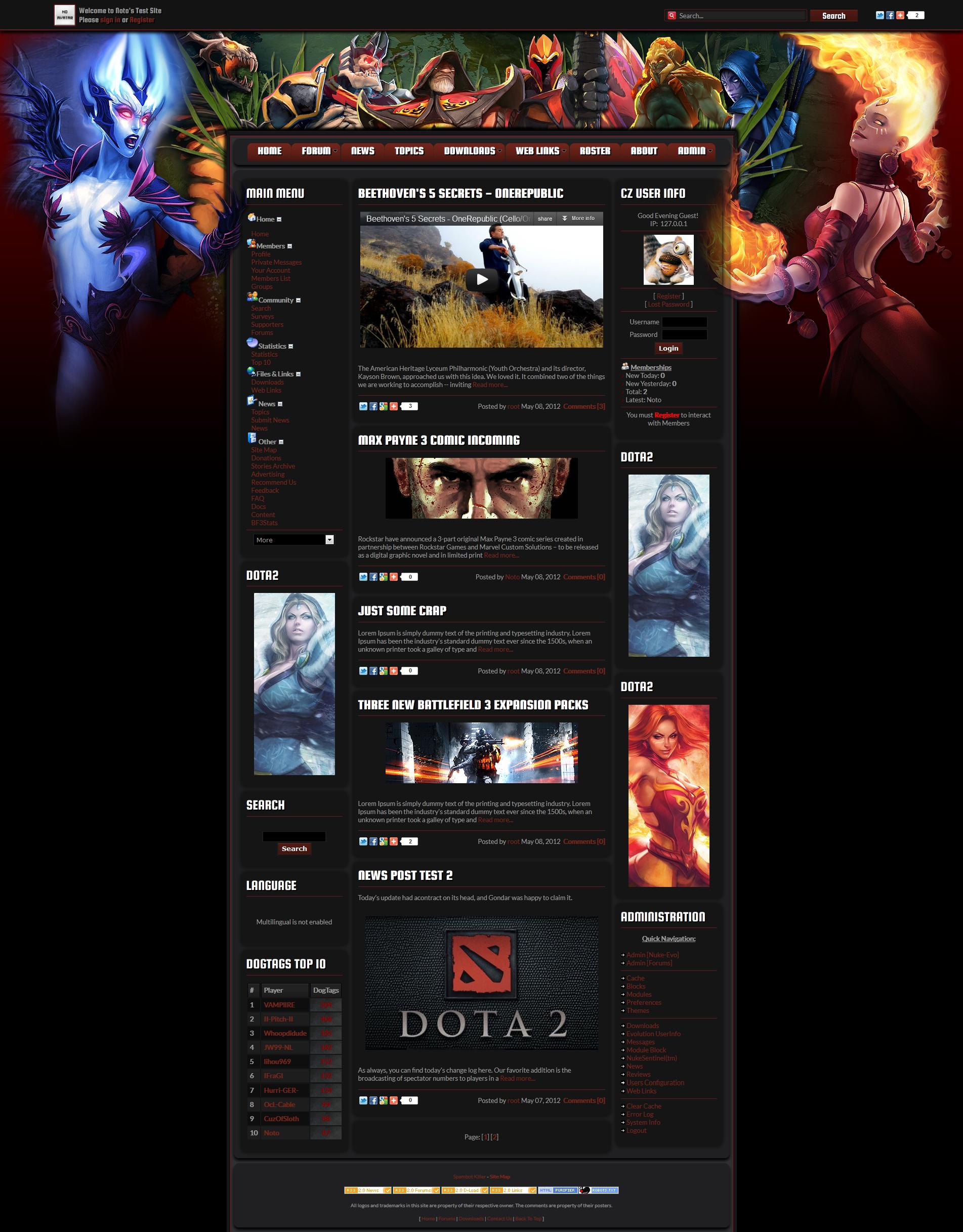
Description
Forum News Module
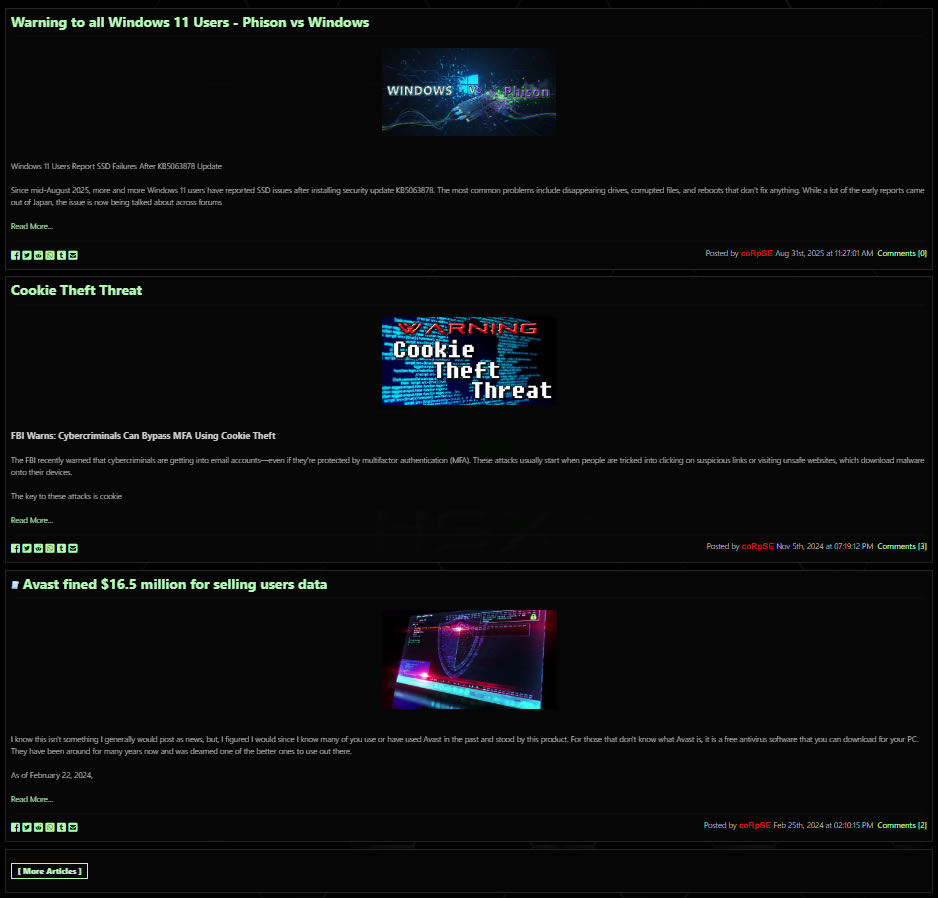
Display forum posts as news articles on your homepage, with formatting that matches your website’s theme.
Please note:
Versions 2.4 and 3.4 are available to download. You only need to install one version, depending on how you want to publish your news.
Choosing Your Version
Version 2.4 — News from a Dedicated Category
This version is ideal if you prefer to keep all your news in one location. Create a dedicated forum category and enter its ID in the module configuration. Posts made in that category will appear as news on your homepage.
Set the category permissions so that only authorised users can publish news.
Version 3.4 — Select Individual Topics as News
This version allows you to publish topics from across your forum as news by selecting a checkbox on the topic.
Installation requires changes to three files, plus one file in each installed theme.
Features
- Supports BBCode formatting.
- Shortens article previews to a configurable character limit and closes any HTML tags affected by truncation.
- Displays the author and publication date and time.
- Uses the number of topic replies as the comment count.
- Links article titles and comment counts to the original forum topic.
- Includes its own pagination.
- Allows you to configure the number of articles displayed per page.
- Includes optional social sharing buttons that use the topic title and link.
- Displays each article inside a theme-styled Nuke table.
- Displays the topic icon beside the article title when available.
- Supports Discord broadcasts when new news is published.
Demo
Visit this website’s homepage to see the module in action.
Video demonstration:
[video]https://www.youtube.com/watch?v=TYjQ361UPvk[/video]
Setup
Read the configuration section at the top of index.php and adjust the settings to suit your website.
To replace the default news module, set this module as your website’s home module.
Usage and Feedback
You are welcome to use and modify this module. The code includes comments to help explain how it works.
If you use it on your website, please share a link. I would be interested to see how it looks with different themes.
Bug reports are welcome. Support is provided as time allows, with paid work taking priority.
Additional Resources
Following the closure of ClanThemes, the forum discussion and additional add-ons were made available here:
Compatibility
Screenshots
Changelog
Update Highlights
This release includes compatibility updates, improvements and code cleanup. The main changes include:
- Updated for Evo Xtreme: Adapted the module to work with the latest version of Evo Xtreme, with substantial compatibility work on version 3.4.
- Built-in BBCode support: Replaced the module’s standalone BBCode parser with the parser included in the CMS. The separate parser previously supported compatibility with both RavenNuke and Evo; the module now focuses exclusively on Evo Xtreme.
- Discord integration: Added the ability to broadcast newly published news to Discord.
- General improvements: Updated various features and refined the code throughout the module.
Additional minor changes are included but are not individually listed here.
Overall, this release is lighter, faster and more efficient than previous versions.